
Add staff and decide what they can see
Give each person their own login and the right role — especially around cost prices.
For: Owner / Admin · about 6 minutes
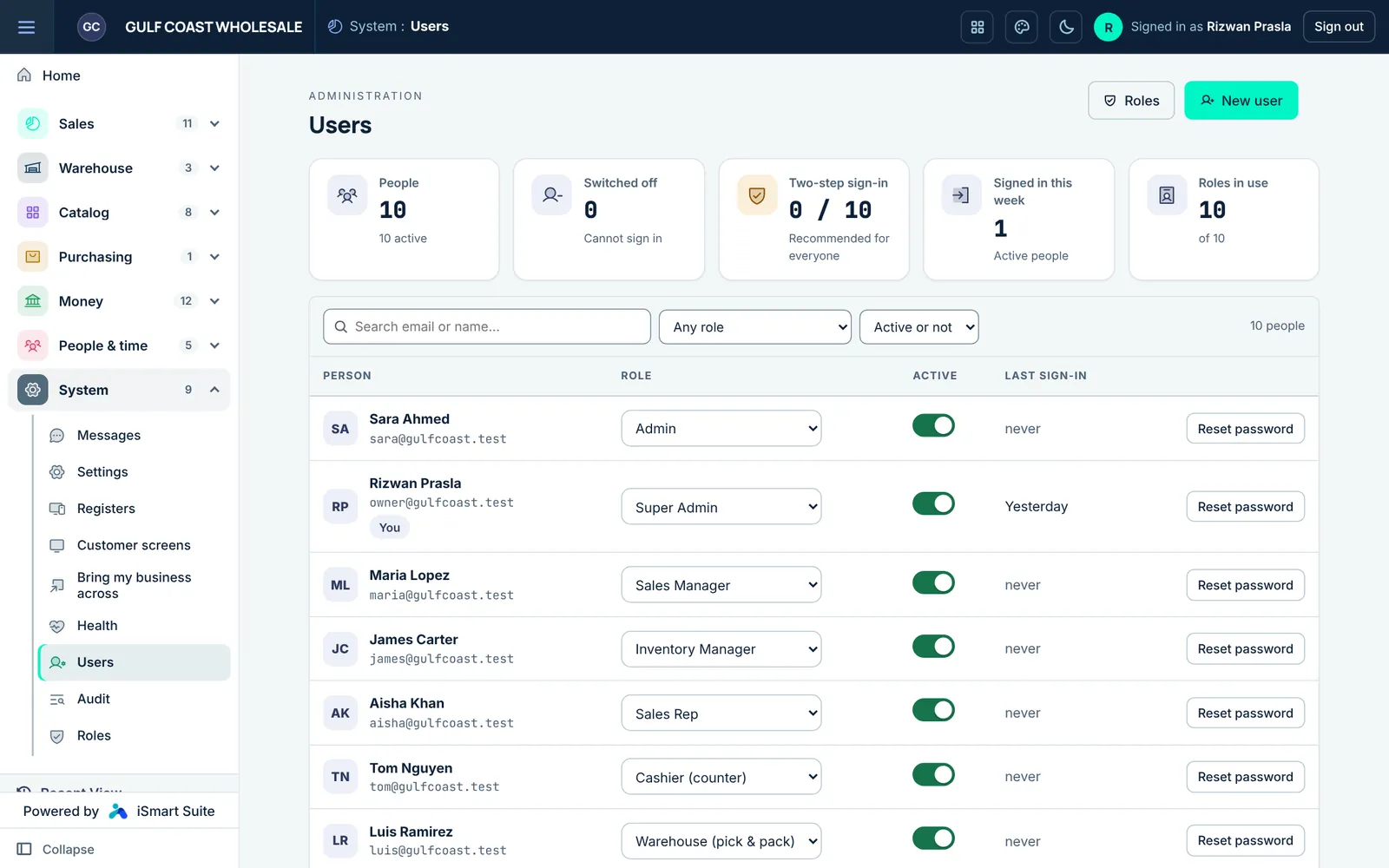
Everyone who uses the system needs their own login. The audit log records who did what, and a shared account makes that record worthless at exactly the moment you need it.
Step by step
Where:
System → Users → New userAdd the person with their own email
Choose a role
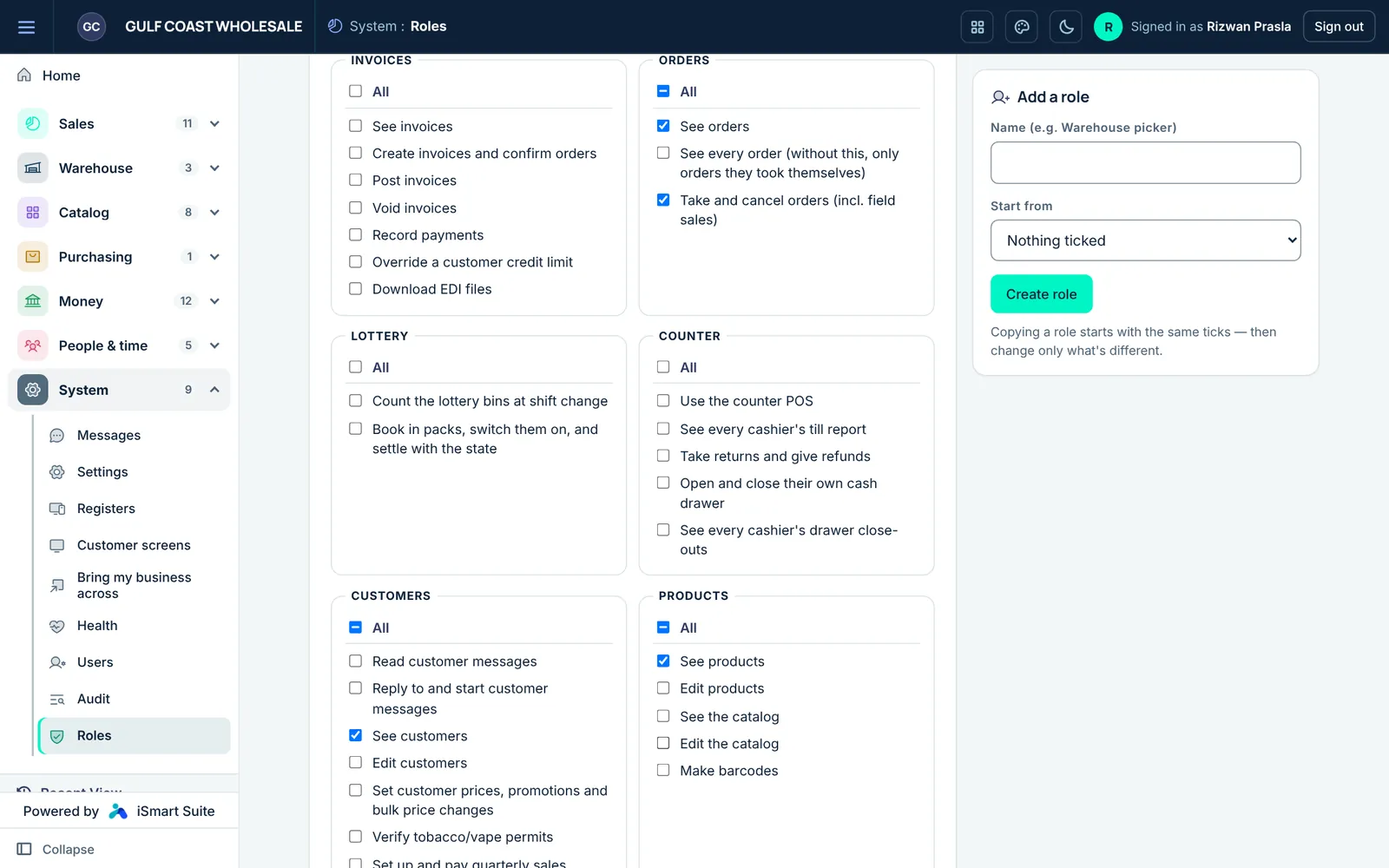
The role decides what they can see and change. Most importantly, it decides whether they can see what you PAY for stock.
Where:
System → RolesReview what each role allows before anyone signs in
Deactivate rather than delete when someone leaves
Deleting would orphan everything they ever did. Deactivating stops the login and keeps the history.
Watch out for
- Only Owner/Admin and Inventory manager can see cost prices and margin. Sales managers and reps cannot — which is usually what you want, but check it if the person setting your prices is a sales manager.
- Margin is hidden wherever cost is hidden. Showing the selling price and the margin lets anyone work the cost back out by subtraction.
Questions about this
Which roles can see what we pay for stock?
Owner/Admin and Inventory manager, and nobody else. Sales manager, sales rep, cashier, warehouse, driver, customer support and viewer all have cost and margin hidden.
Someone has left. Should I delete their account?
Deactivate it instead. That stops them signing in while keeping every invoice, order and change they made attached to a real name.