
Get your tobacco and vape figures
Units, sales and excise by product type for any dates, and the permits that need attention.
For: Owner / Admin, Sales manager · about 3 minutes
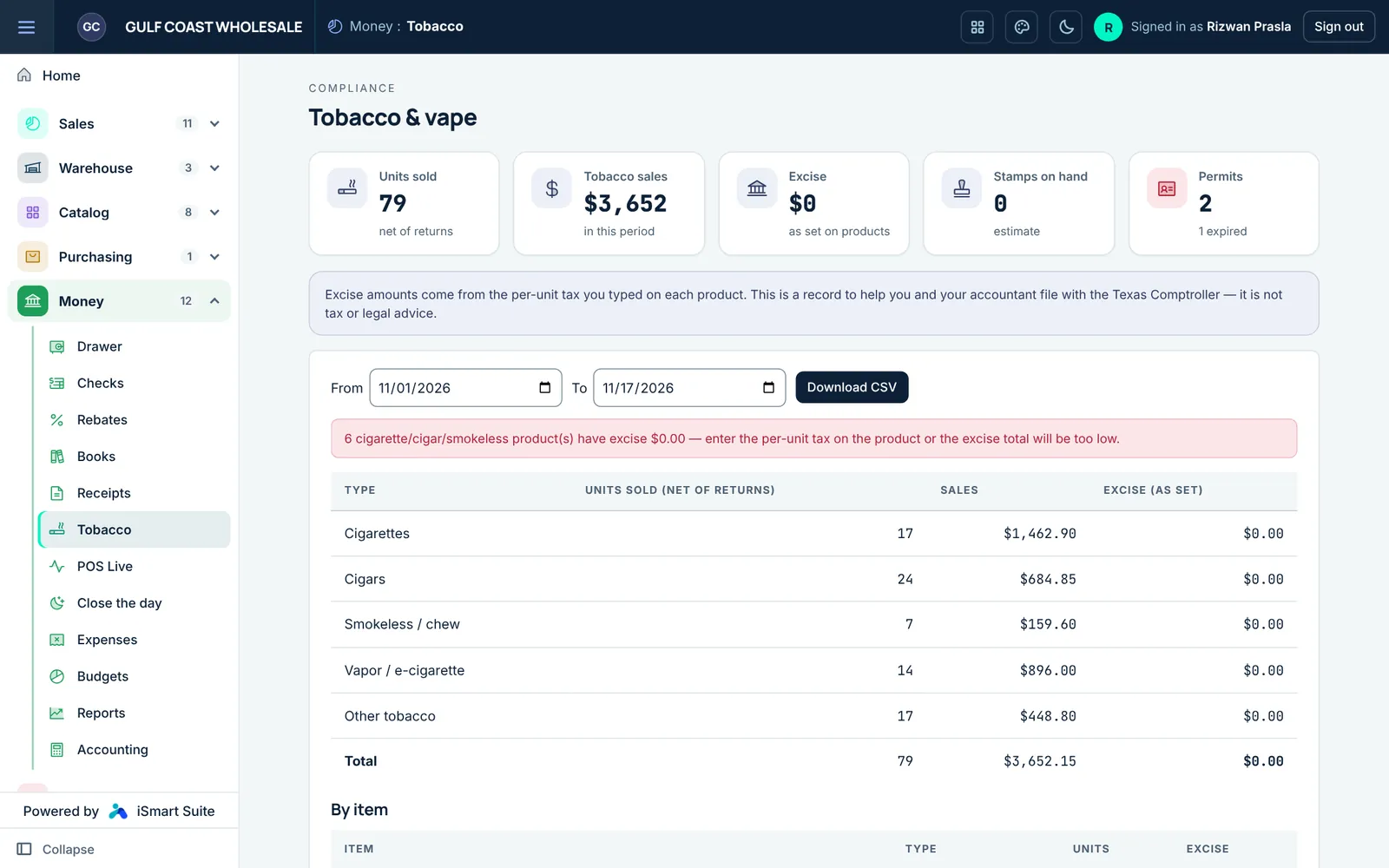
The Tobacco screen adds up what you sold in each tobacco type, net of returns, and the excise that goes with it. It is a record to help you and your accountant file. It is not tax or legal advice.
Step by step
Where:
Money → TobaccoSet the From and To dates
The tiles and the table follow the dates.
Read the table: cigarettes, cigars, smokeless, vapor and other tobacco
Units are net of returns.
Press Download CSV
The spreadsheet has the same figures, item by item, for your accountant.
Where:
Money → Reports → DownloadsDownload the PACT Act shipments file for the month, if you ship across state lines
It lists the month’s cigarette, smokeless and vapor shipments.
Watch out for
- Excise is only as right as the per-unit tax typed on each product. A red note appears when tobacco products have none entered; fix those first or the total will be too low.
- The Permits tile counts stores whose tobacco permit has expired. Their tobacco orders are refused until the permit is updated on their customer page.
Questions about this
Where do I enter a store’s tobacco permit?
On the store’s page under Sales → Customers: the permit number and its expiry date. The Customers screen has a filter, Permit needs attention, for permits that are unverified or expire within 30 days.
What stops tobacco being sold to a store without a permit?
Departments that need a permit are marked so in the catalog. A store without a verified, unexpired permit cannot order from them online, a staff order for them is refused, and the counter asks for the permit number.