
Take a return and give a refund
Find the original sale, say what is coming back, and refund or credit it.
For: Owner / Admin, Sales manager · about 3 minutes
A return is always taken against the sale it came from. That keeps the price right, stops the same goods being returned twice, and puts the stock back only if you say it is fit to sell.
Step by step
Where:
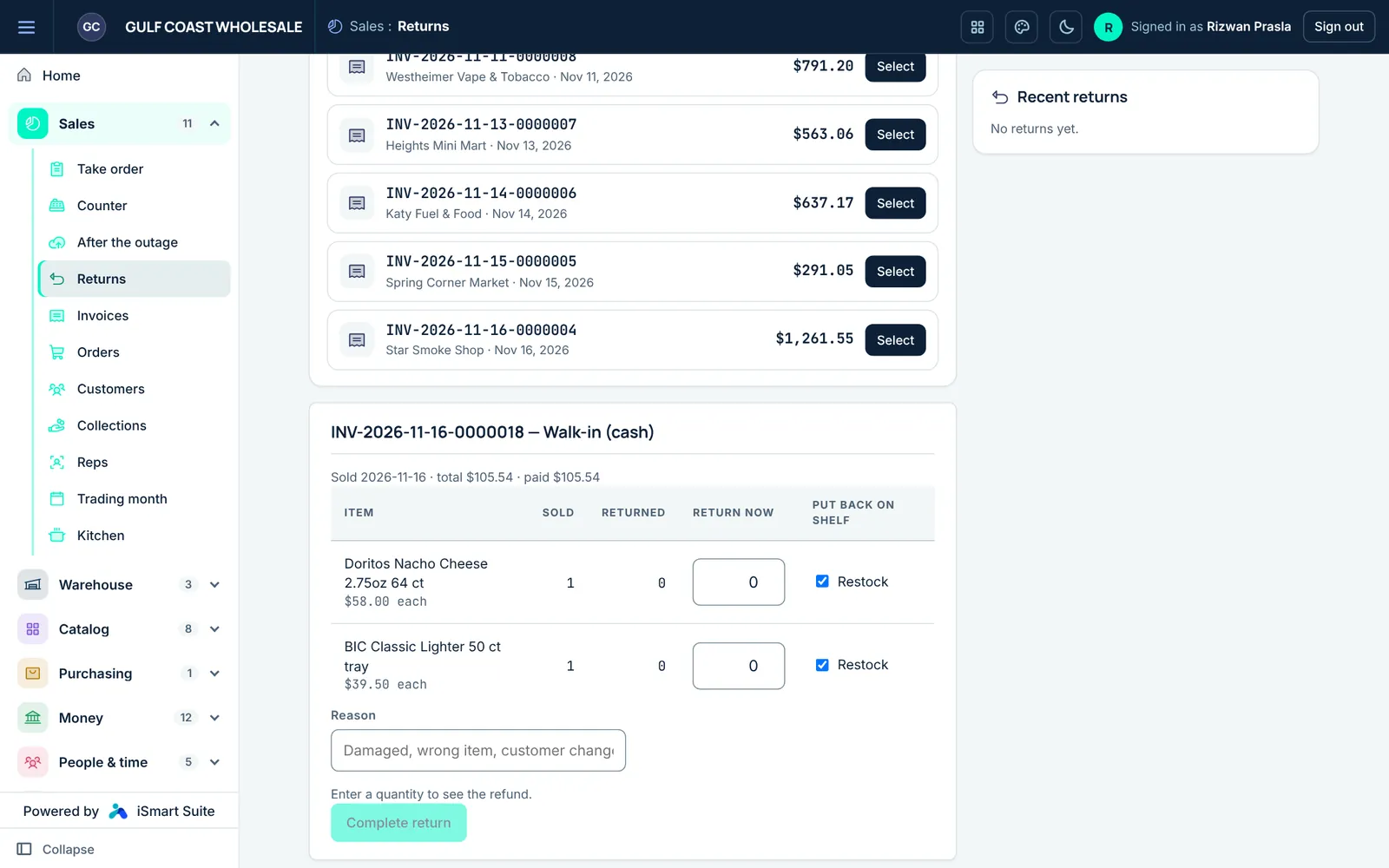
Sales → ReturnsFind the sale by invoice or receipt number, or by customer name, and press Select
Recent sales are listed without searching.
Type how many of each line are coming back
You cannot return more than was sold, less what has already been returned.
Leave Restock ticked if the goods can be sold again; untick it for damaged stock
Ticked goods go back on the shelf count. Unticked goods are refunded but do not come back into stock.
Type the reason and press Complete return
The refund is paid by cash, card or check, or taken off what the customer owes.
Watch out for
- Only people allowed to take returns can give refunds. A cashier cannot, by default.
- The reason is kept. “Damaged”, “wrong item” and “customer changed mind” tell you different things when you read them back at the end of the month.
Questions about this
Does a return change the original invoice?
No. The invoice stays as it was and the return is recorded against it, so you can always see both.