
Run a promotion
Set up a discount that applies by itself at the counter, online and on staff orders.
For: Owner / Admin, Sales manager · about 3 minutes
A promotion is a rule, not a price change. You say what the deal is and when it runs; it applies itself wherever the item is sold and stops by itself on the end date.
Step by step
Where:
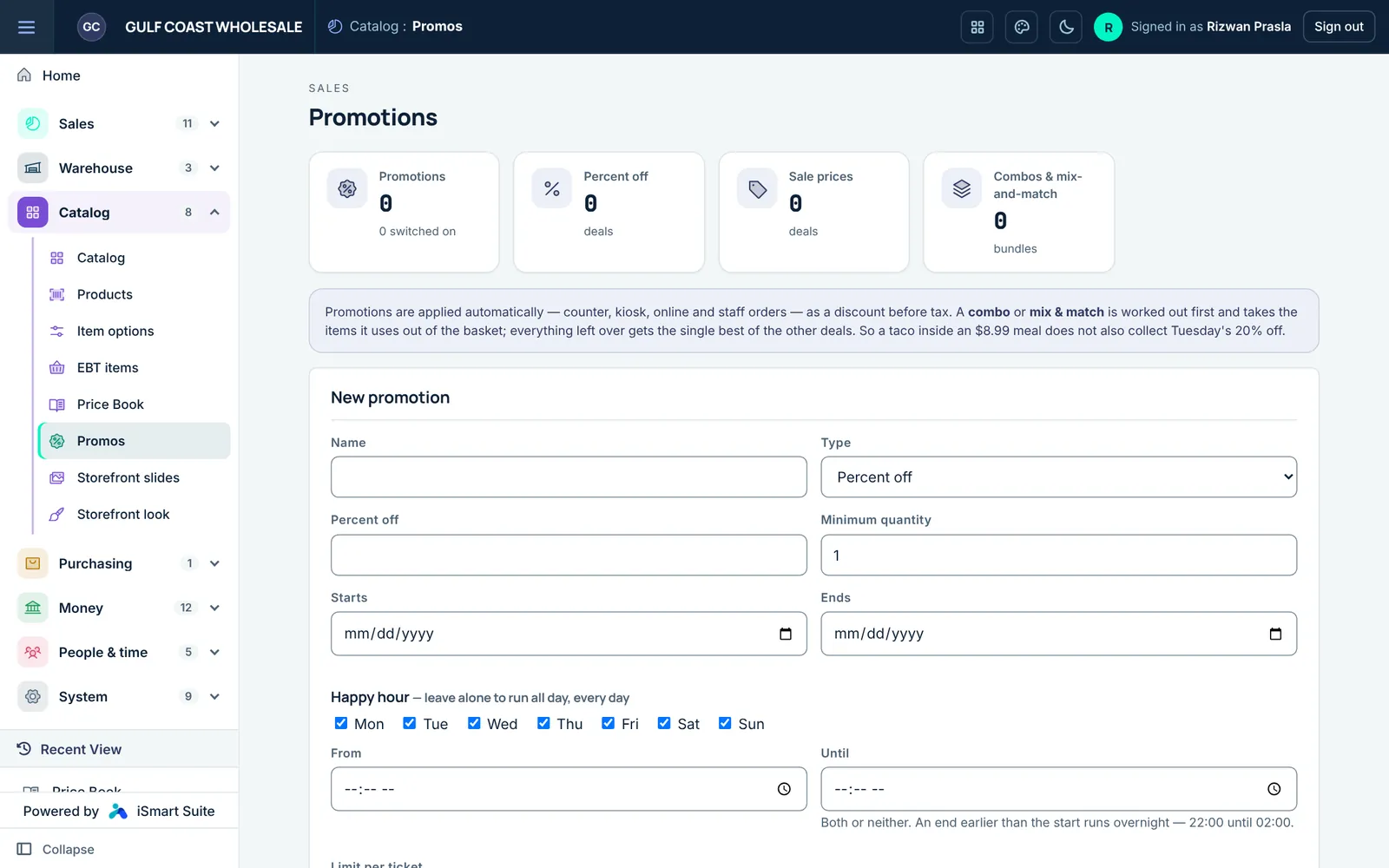
Catalog → PromosName the promotion and choose its type
Percent off, a sale price, or a combo or mix-and-match bundle.
Enter the discount and the minimum quantity
A minimum of 5 means the deal applies when five or more are bought.
Set the start and end dates
It switches itself on and off. Nobody has to remember on Monday morning.
Leave the days and hours alone to run all day, every day, or pick them for a timed deal
An end time earlier than the start runs overnight.
Watch out for
- A combo or mix-and-match is worked out first and uses up its items; everything left over gets the single best of the other deals. One item never collects two discounts.
- The discount is taken before tax.
Questions about this
Can I show a promotion on my online store’s front page?
Yes. Add a slide under Catalog → Storefront slides and link it to the promotion. The saving on the slide is then worked out from the promotion, so the two can never disagree.