
Raise and receive a purchase order
Order from a supplier, then book in what actually turned up.
For: Owner / Admin, Inventory manager · about 8 minutes
A purchase order is what you asked your supplier for. Receiving is what arrived. They are rarely identical, and keeping them separate is what lets you see which suppliers short you.
Step by step
Where:
Purchasing → Buying → New purchase orderChoose the supplier and add the lines you are ordering
Costs come from that supplier's own cost list where you have one.
Place the order, and email it if the supplier takes orders that way
Where:
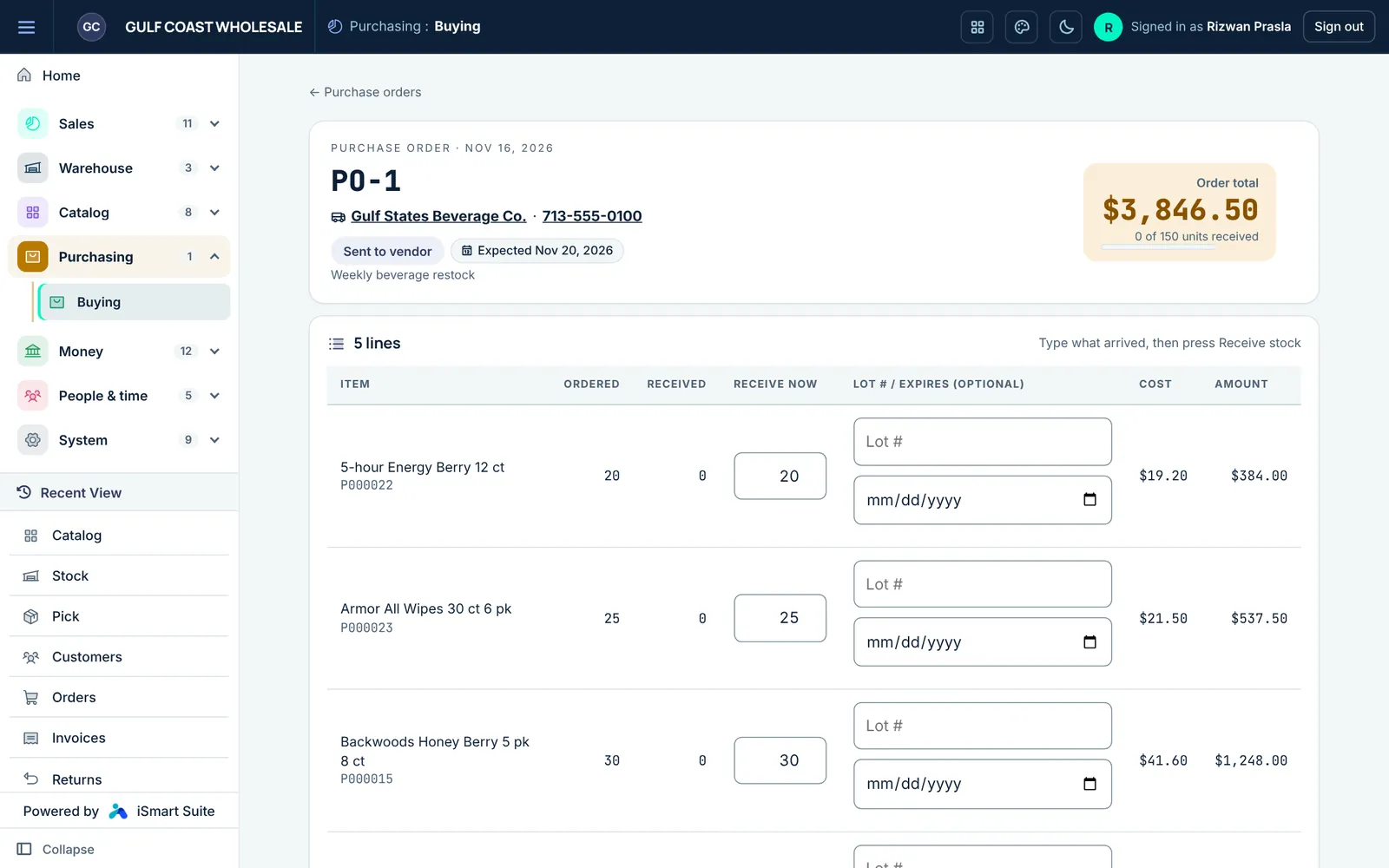
Purchasing → Purchase orders → the order → ReceiveWhen the delivery arrives, enter what actually came
Stock goes up by what you receive, not what you ordered. A bill is created at the same time.
If the supplier will not ship the rest, close the order short
Otherwise it sits open for ever and your on-order figures stay wrong.
Watch out for
- Receiving creates the vendor bill automatically. Do not also enter the bill by hand, or you will owe the supplier twice.
Questions about this
What if the price on the invoice differs from the purchase order?
Enter what you were actually charged when receiving. The cost on the product updates from what you really paid, which is what makes margin figures honest.