
Pick and pack an order
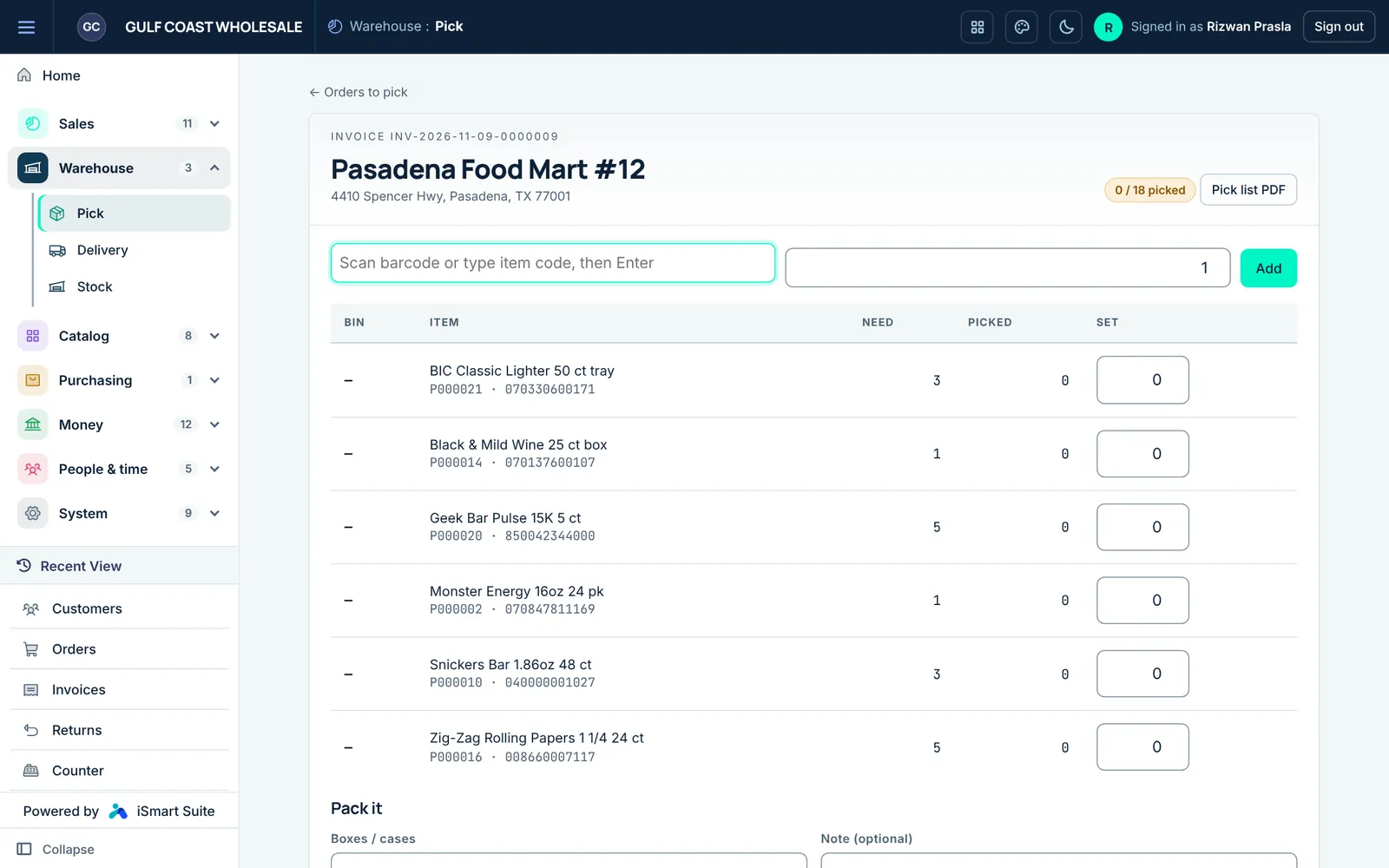
Work the pick list, record what actually went in the box.
For: Owner / Admin, Inventory manager, Warehouse · about 5 minutes
Picking is where the paper order becomes real goods. What you record here is what the customer is invoiced for, so a short pick recorded honestly is far better than a full one recorded hopefully.
Step by step
Where:
Warehouse → PickOpen the order you are picking
Work down the list, scanning or ticking each line as it goes in
Bin locations are shown so the route round the warehouse makes sense.
Record a short pick where you could not fill a line
The invoice is built from what was picked. Guessing here produces an invoice the customer disputes and a stock count that drifts.
Mark it packed
Only packed orders appear on the list of things waiting for a delivery route.
Watch out for
- An order that is not marked packed will never appear for a driver, however urgent it is.
Questions about this
What if I pick more than was ordered?
Change the line to what actually went in the box. The invoice follows the pick, so the customer is charged for what they received.