
Ring up a sale at the counter
Name the register, open the drawer, scan the items and take the money.
For: Owner / Admin, Sales manager, Counter / cashier · about 3 minutes
Step by step
Where:
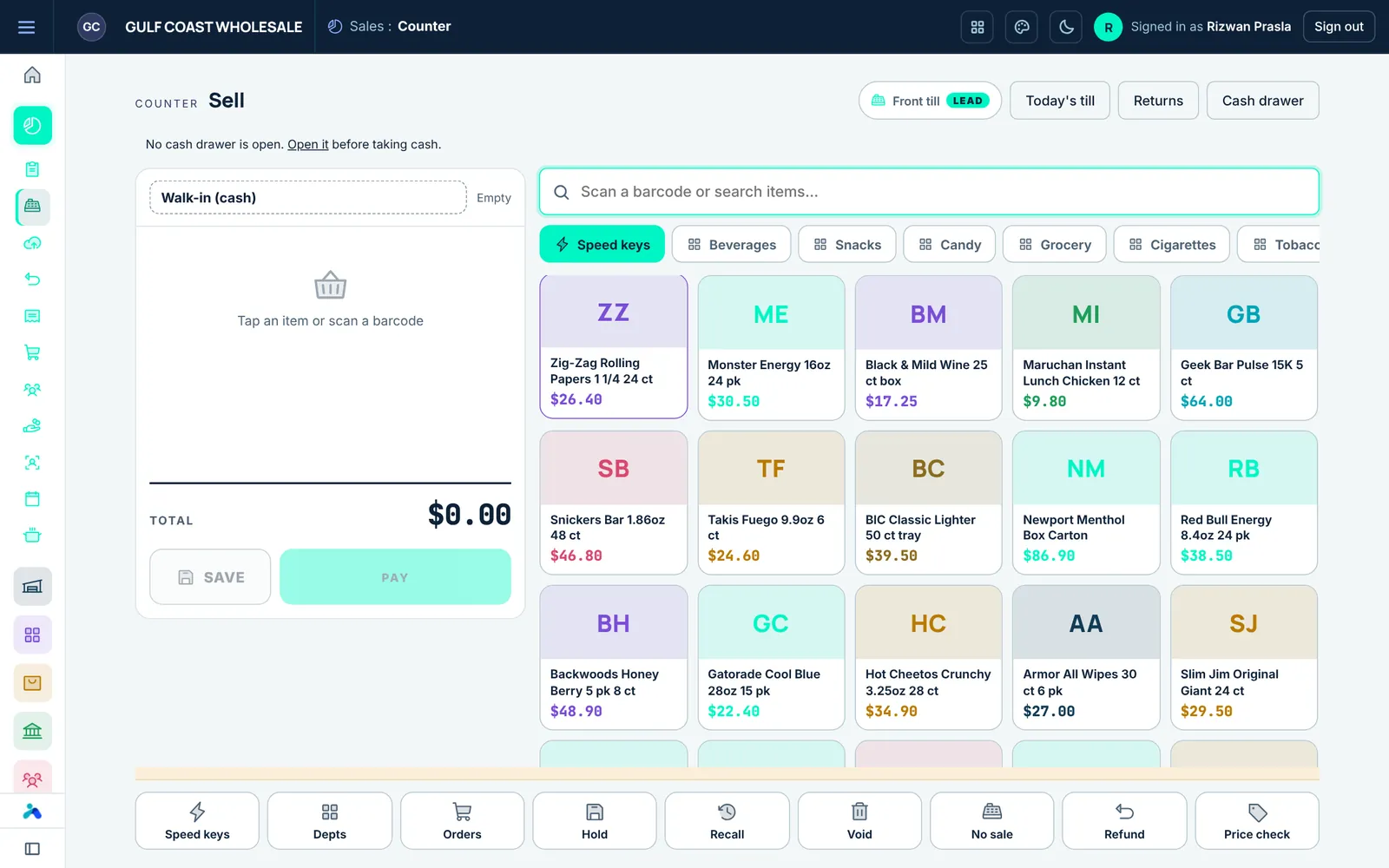
Sales → CounterChoose which register this is, or name it the first time
Every sale, payment and cash drawer on this machine is recorded against that name, so a shop with more than one till can read its day.
Where:
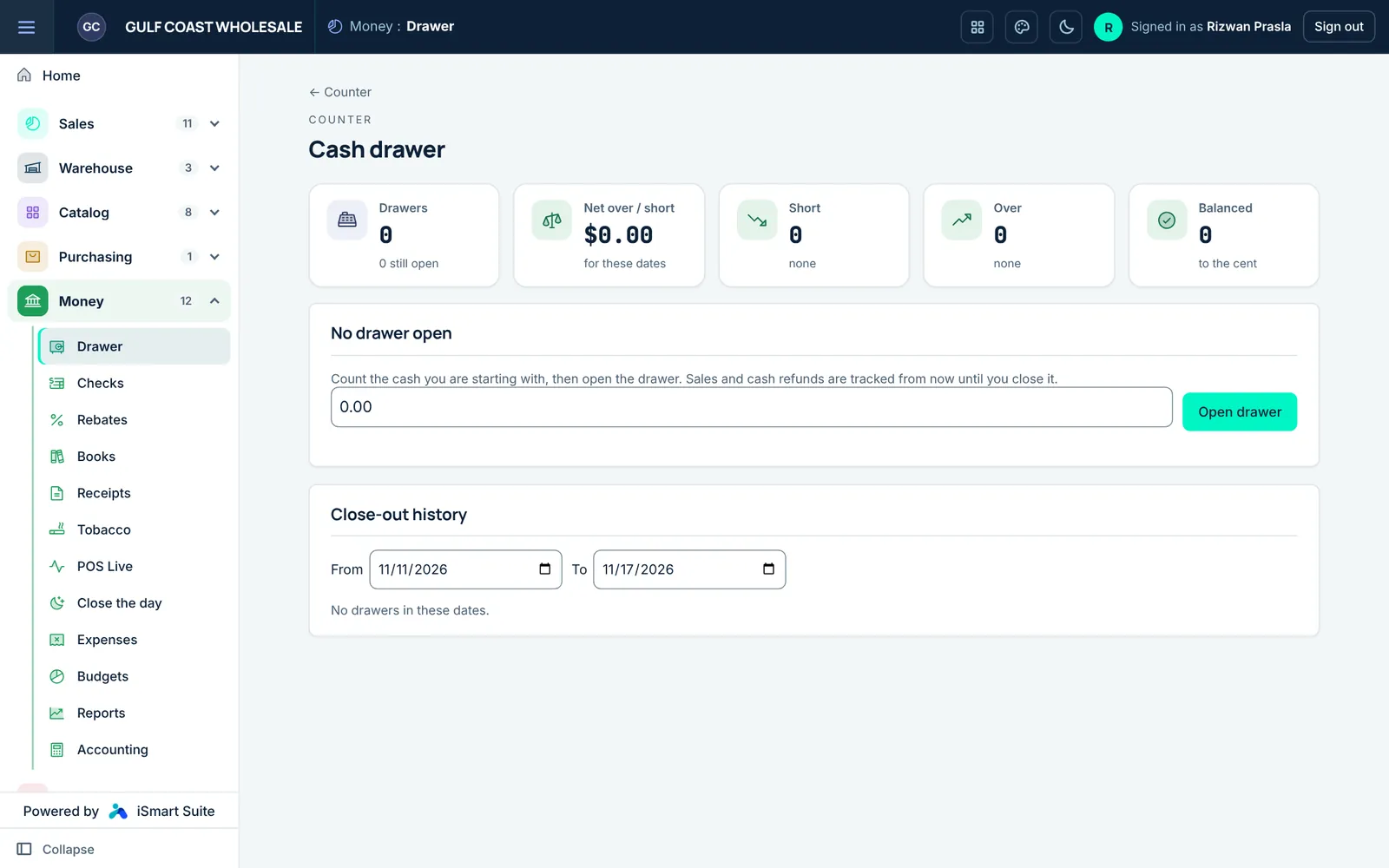
Cash drawer (top right)Count the cash you are starting with and open the drawer
Cash sales and cash refunds are tracked from now until you close it. Without an open drawer the counter warns you before taking cash.
Scan each item, search for it, or tap its speed key
The customer starts as Walk-in (cash). Choose the store instead if you know who is buying.
Press Pay and take the money
The sale becomes a paid invoice at once.
Watch out for
- A sale with tobacco or vape items asks for the buyer’s tobacco permit number. Check the permit and enter the number; the sale will not go through without it.
- Hold parks a sale so you can serve the next person, and Recall brings it back. No sale opens the drawer without selling and is recorded.
- To keep selling when the internet drops, an admin must authorise the machine first under System → Registers.