
Count stock a little every day
Use the cycle count list to keep stock figures right without closing for a stock-take.
For: Owner / Admin, Inventory manager · about 5 minutes
Counting twenty items a day is easier to keep up than counting everything once a year, and it finds a problem while you can still remember what happened. The list is the items that have gone longest without a count, in shelf order.
Step by step
Where:
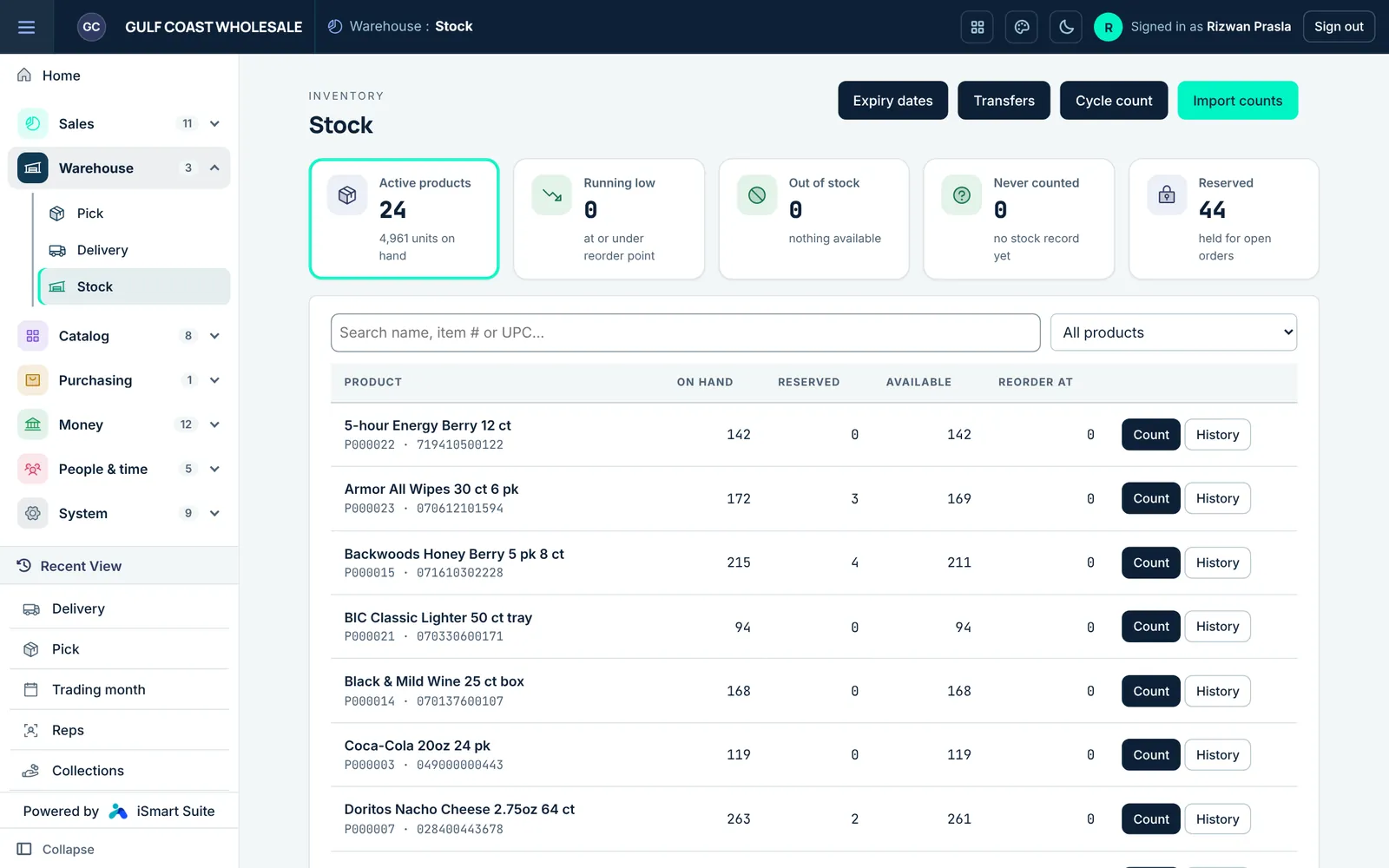
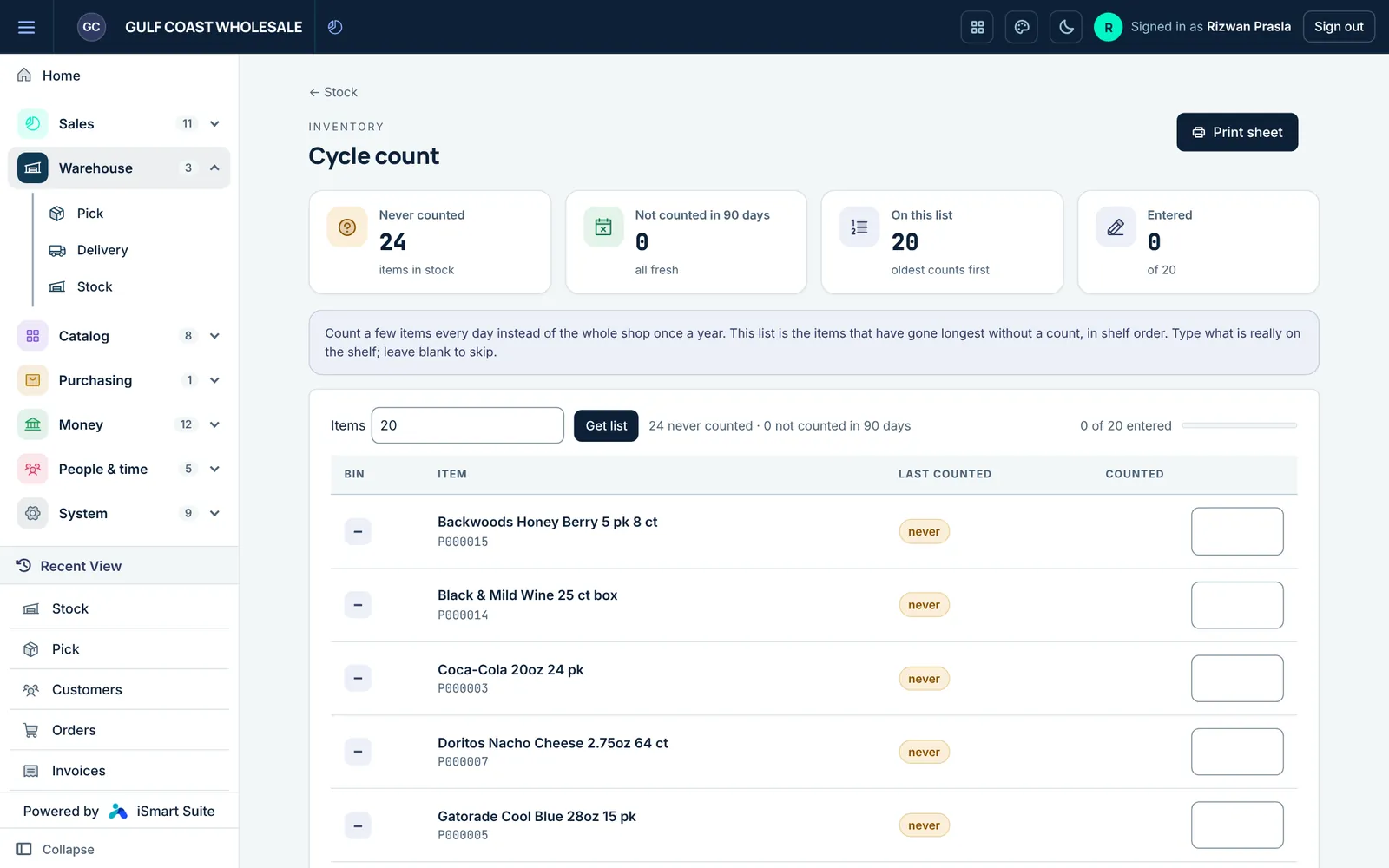
Warehouse → Stock → Cycle countChoose how many items to count and press Get list
Twenty is a sensible number for one person in a few minutes.
Press Print sheet if you want to walk the shelves with paper
The list is in bin order, so you walk the warehouse once.
Type what is really on the shelf for each item
Leave a box blank to skip an item; it stays on the list for next time.
Save the counts
Stock on hand becomes what you counted. Each item’s History shows the change.
Watch out for
- Count when nobody is picking that shelf, or the figure is wrong the moment you type it.
- Reserved stock is already promised to open orders. It is still on the shelf, so count it.
Questions about this
What is the difference between on hand, reserved and available?
On hand is what is physically in the building. Reserved is what open orders have already claimed. Available is on hand less reserved: what you can still sell.
Can I count just one item?
Yes. Press Count next to it on the Stock screen. History next to it shows every change to that item’s stock.