
Chase unpaid invoices
See who owes what, how late they are, and send the reminders.
For: Owner / Admin, Sales manager, Customer support · about 5 minutes
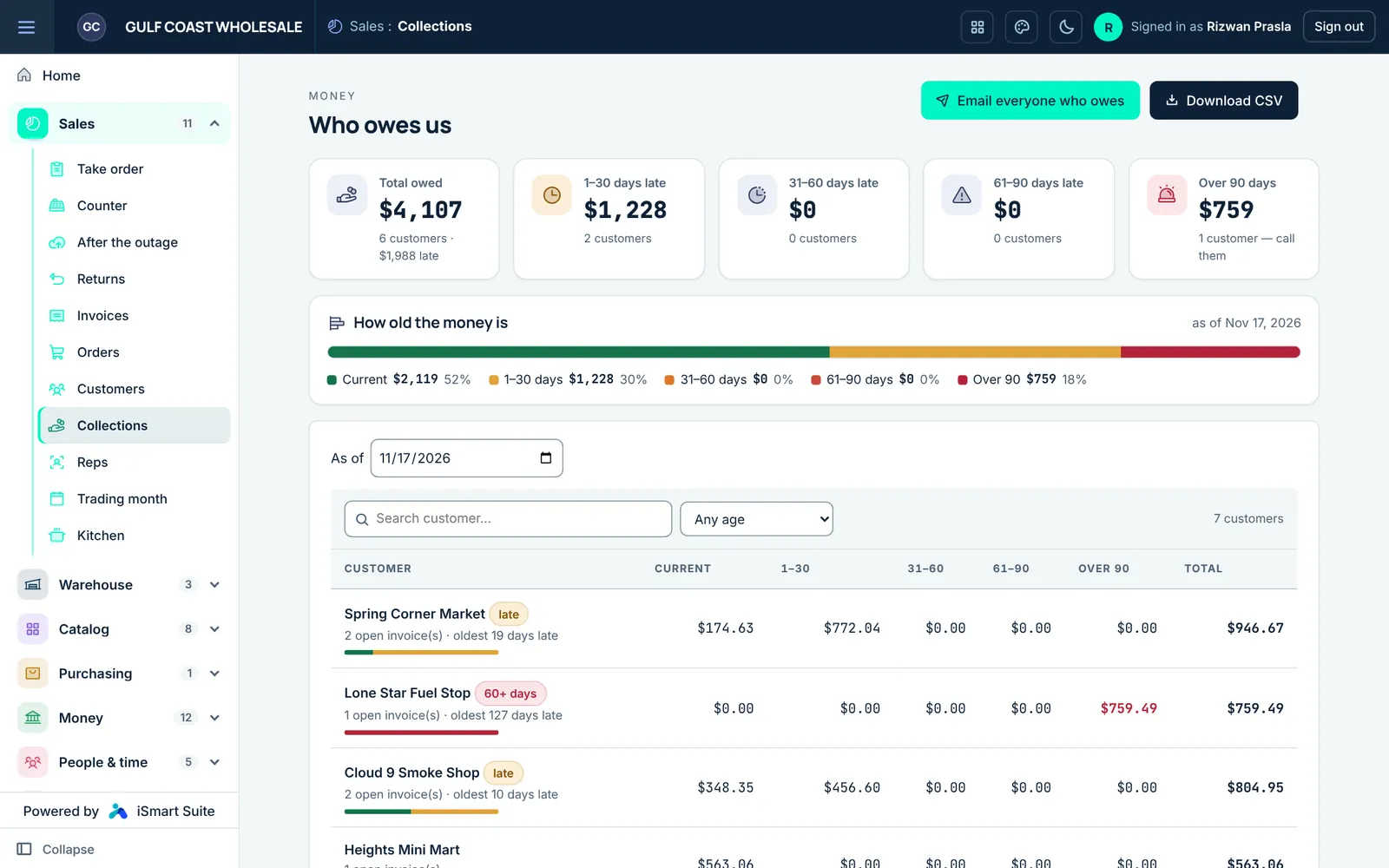
Collections lists everything past its terms, oldest first. The age is measured from the due date, which comes from the customer's payment terms.
Step by step
Where:
Sales → CollectionsReview what is overdue and by how long
Send statements or reminders to the customers you choose
A customer already emailed in the last day is not emailed again, so a second press does not spam them.
Record payments as they arrive
A paid invoice drops off the list immediately, so the list stays worth reading.
Watch out for
- Email goes out through a background worker, not instantly. If nothing arrives within a few minutes, that is worth telling whoever runs your server.
Questions about this
When does an invoice become overdue?
When today is past its due date, which is calculated from the customer's payment terms at the time the invoice was raised.