
Add a customer and set their terms
Credit limit, payment terms, price tier and the permit that decides what they may buy.
For: Owner / Admin, Sales manager, Sales rep, Customer support · about 5 minutes
Step by step
Where:
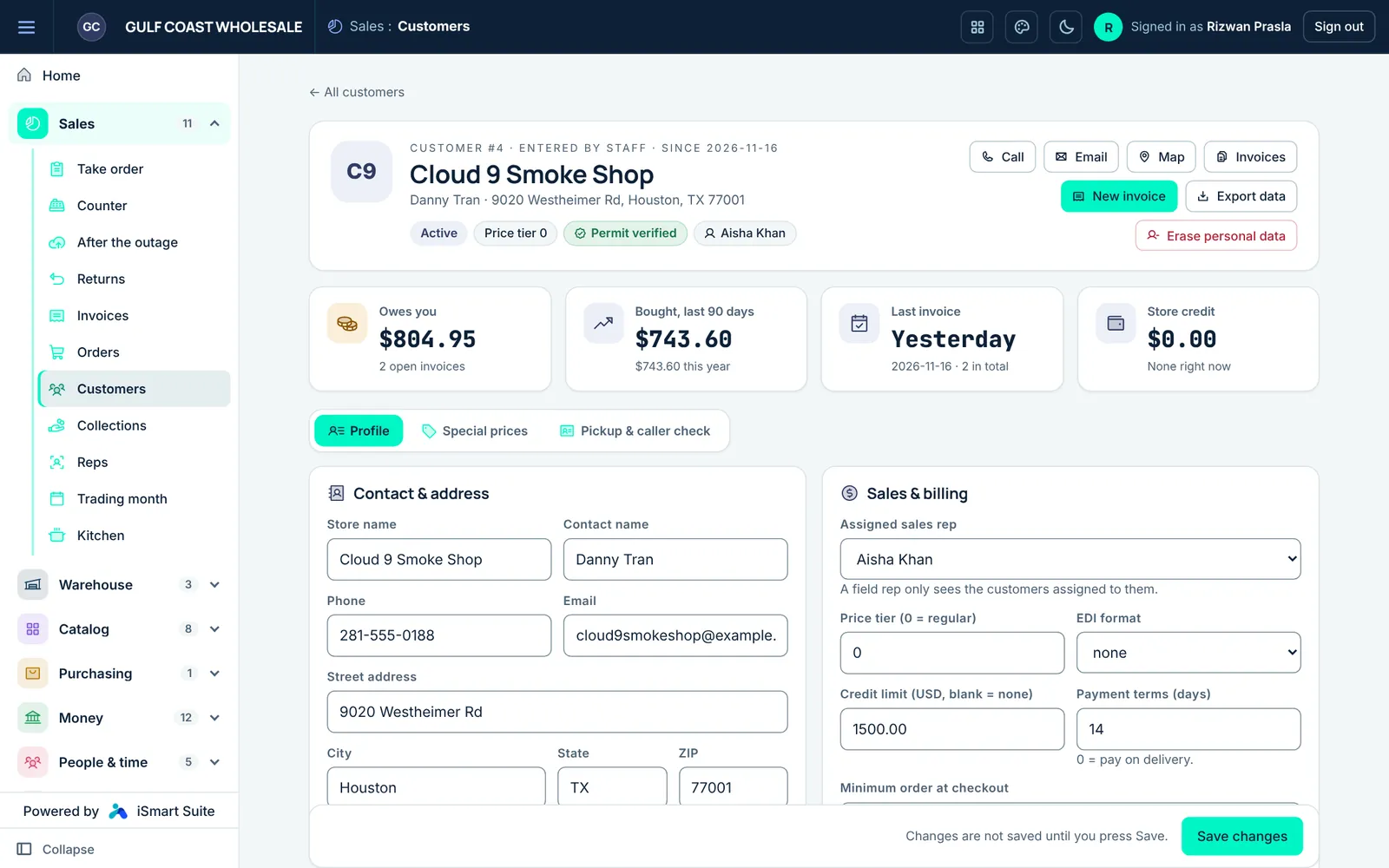
Sales → Customers → New customerEnter the store name, contact and delivery address
The delivery address is what the driver gets and what the round is planned around, so it needs to be the door the van stops at.
Set payment terms and the credit limit
Terms decide when an invoice becomes overdue and starts appearing in Collections. The credit limit is checked when an order is placed.
Set the price tier
This is which price list they buy on. Individually negotiated prices sit on top and are set per product.
Where:
the customer → permit fieldsIf they buy tobacco or vape, record the permit number and its EXPIRY DATE, then mark it verified
Both are required. A permit marked verified with no expiry, or an expired one, blocks restricted orders.
Watch out for
- Verified is not the same as in date. The system checks the expiry date against the shop's own calendar day, every time, and refuses the order if it has passed.
- A customer's photographed documents go into the encrypted document store, never an ordinary field. A photo of a check carries their bank routing and account number.